Canada presence tracker · iPhone & iPad

Your days in Canada, kept in one quiet ledger.

MapleDays is a local-first travel ledger for permanent residents, temporary residents, and citizens. Log trips once. Watch PR renewal timing, citizenship eligibility, and — with Premium — a glance-friendly Home Screen widget for every profile you track.

Platforms
iPhone & iPad
Data
Local-first
Core features
Free, forever
The app

Three screens. One ledger. Every status.

Log a trip, and MapleDays takes care of the math. The dashboard reshapes itself to the status you're actually planning for.

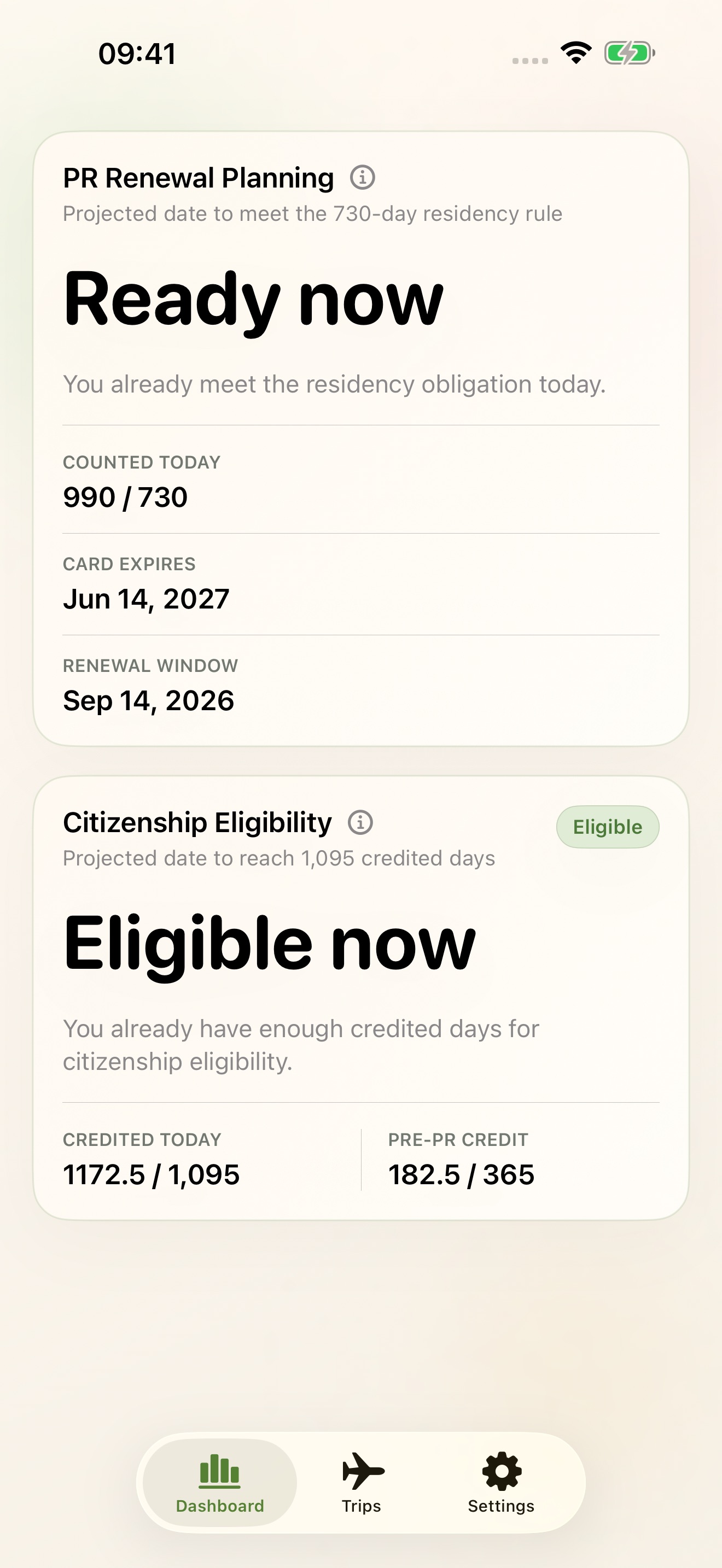
Dashboard

The number that matters today, up top.

Permanent residents lead with PR Renewal Planning and a projected date to meet the 730-day obligation. Temporary residents see permit-aware renewal timing. Citizens get a calm Travel Archive.

  • Projected date to clear the 730-day residency obligation
  • Citizenship eligibility with eligible pre-PR credit
  • Printed PR card expiry with renewal-window guidance
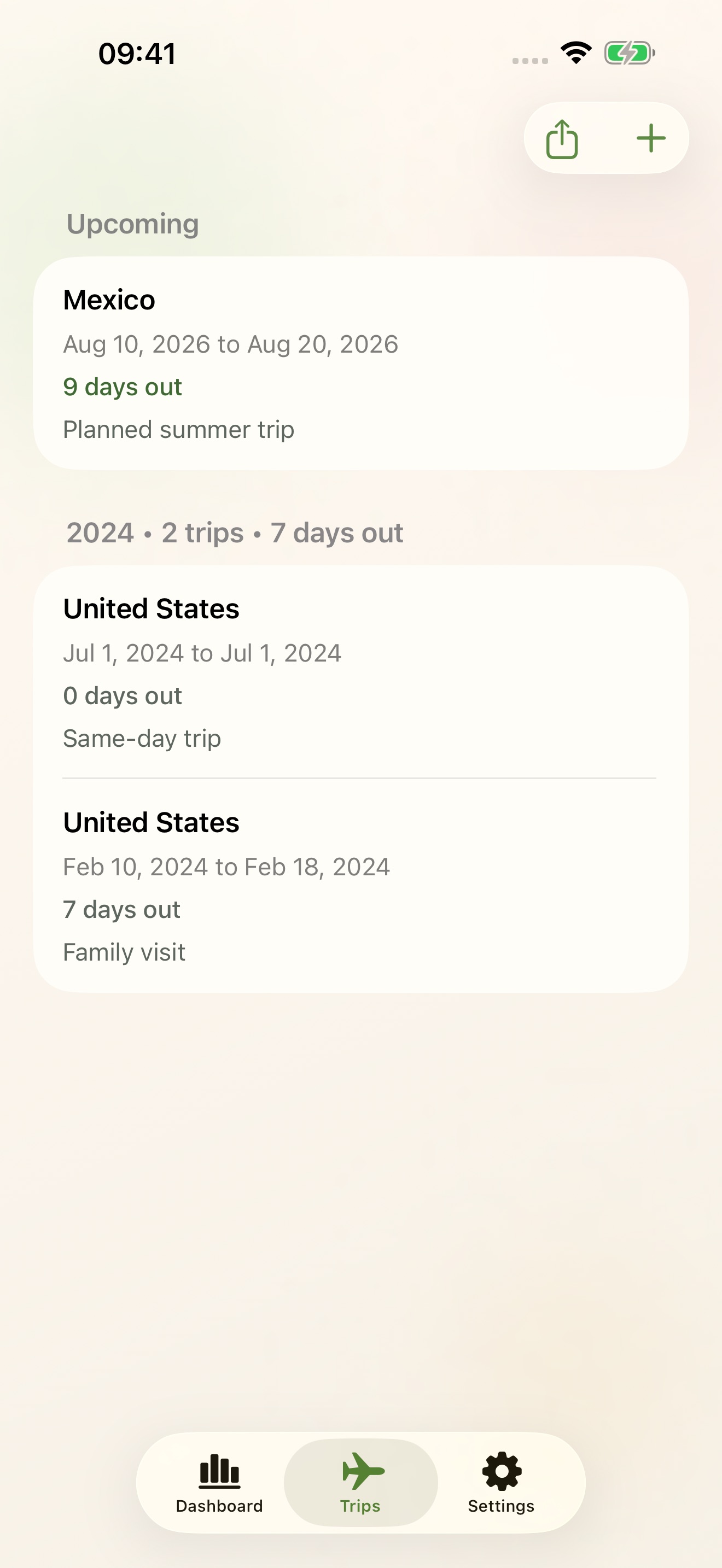
Trips

One travel ledger, not a spreadsheet.

Past, current, and upcoming trips live in one place — grouped by year, with same-day trips and family travel handled out of the box. Add as you go; review whenever forms are due.

  • Current, Upcoming, and yearly Completed groupings
  • Single persistent Add Trip entry for any timeframe
  • CSV export from the canonical stored ledger
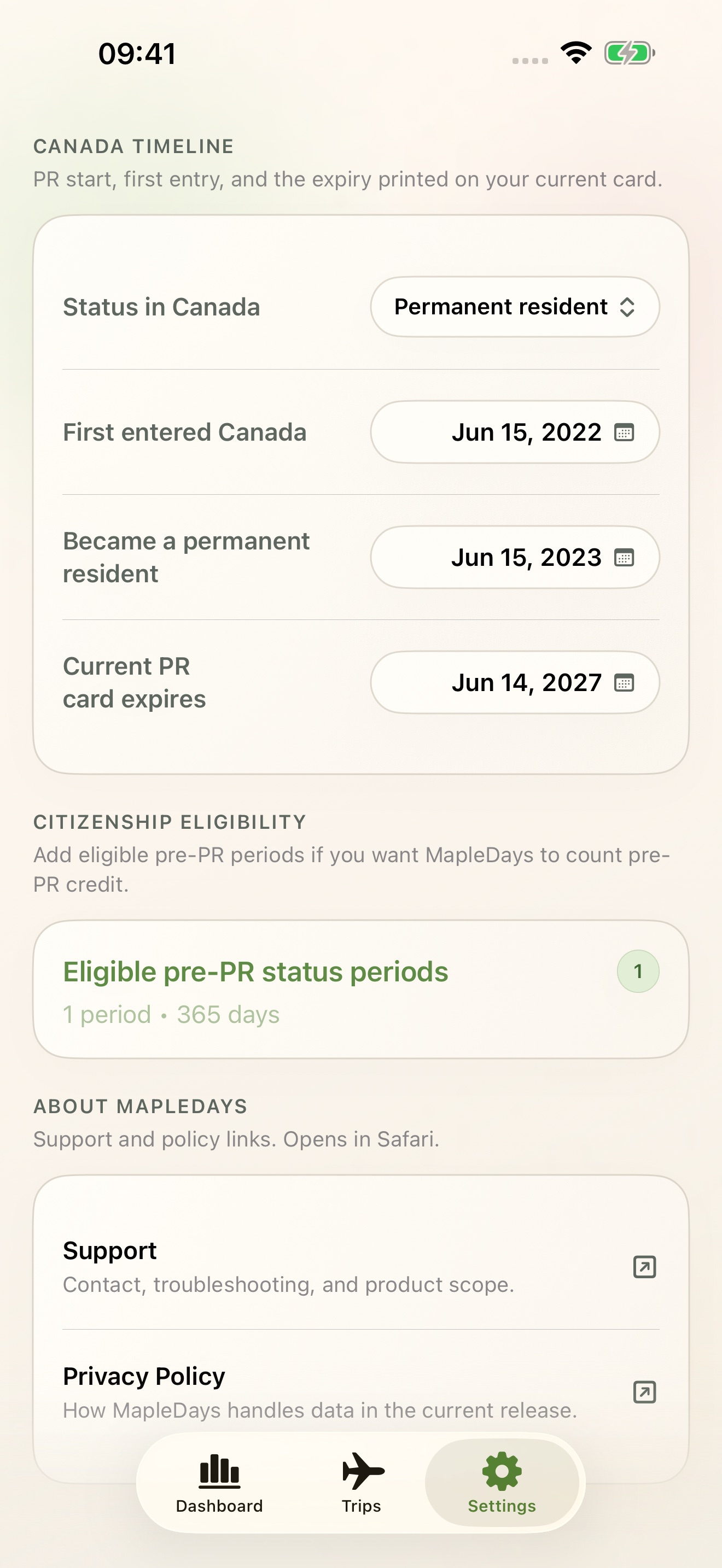
Settings

Only the dates that change the answer.

Status in Canada, first entry, PR date, card expiry, and pre-PR eligible periods — that's it. No clutter, no fields that don't apply to your status.

  • Status-aware Canada timeline (PR, temporary resident, citizen)
  • Pre-PR eligible periods feed citizenship credit automatically
  • Direct links to official IRCC processing-time guidance
Home Screen widgets · Premium

Your status, at a glance — without opening the app.

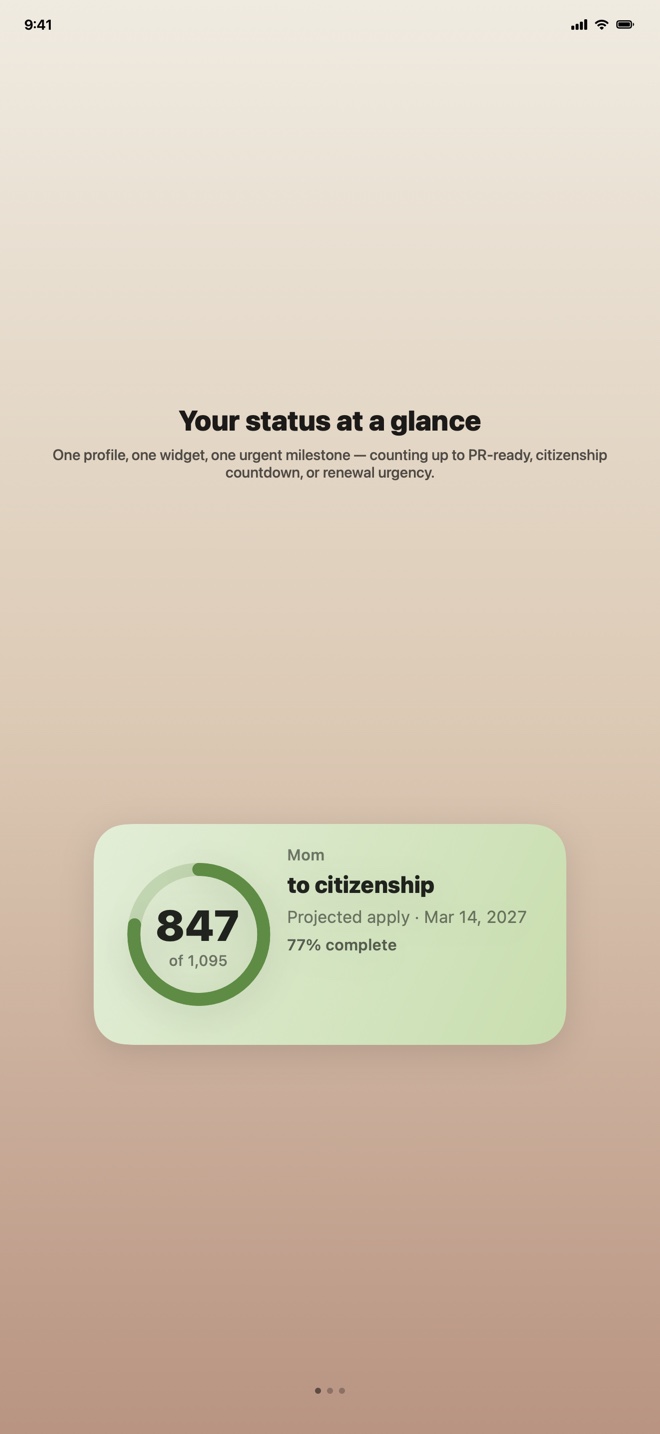
Pin a Status widget to any profile and see the one milestone that matters today: counting up to PR-ready, citizenship countdown, or renew-your-card urgency. Family managers can pin one widget per family member.

  • Status widget (small + medium) — pick a profile, see its most urgent milestone
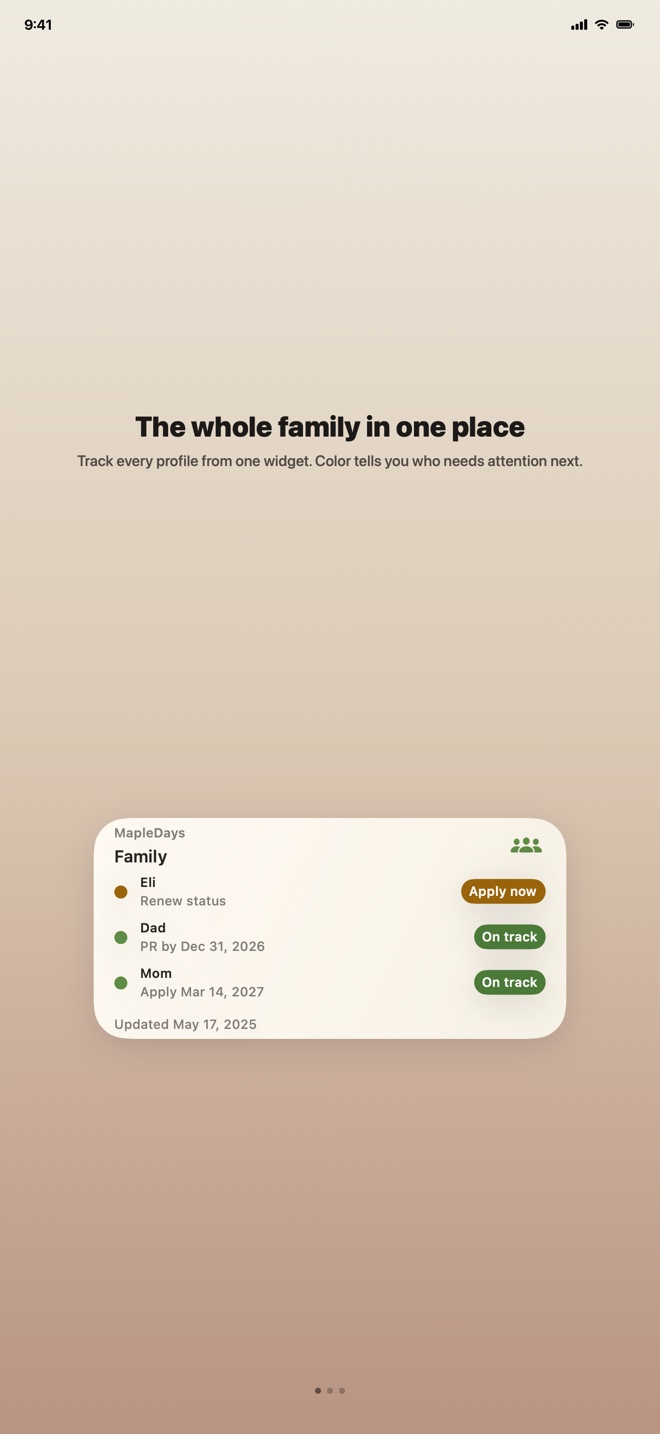
  • Family Overview (medium + large) — every tracked profile sorted by what needs attention first
  • Graphics-led: a progress ring or status icon does the visual work
Family Overview · Premium

Is anyone in the family in trouble? Find out in one glance.

One widget covers every profile you track. Color shows urgency at a glance, rows sort with the most urgent first, and the same focus picker the Status widget uses keeps the dashboard honest.

  • Up to three profiles on medium, six on large
  • Auto-sorts by urgency: caution first, then on-track, then ready
  • Always-on dashboard for everyone you manage in MapleDays
Lifetime Premium

One ledger across every device in the family.

Core tracking, calculations, projections, and CSV export stay free. Lifetime Premium adds optional iCloud sync, multiple profiles, shared family trips, and Home Screen widgets — paid once, kept forever.

  • Optional iCloud sync between iPhone and iPad on the same Apple ID
  • Multiple profiles for partners, parents, and dependants
  • Shared family trips, kept on your private iCloud account
  • Home Screen widgets for each profile plus a Family Overview
How it works

Set your dates once. The rest is just trips.

MapleDays turns a small handful of inputs into the planning answers you actually want to see.

  1. 1

    Tell it your status

    Pick PR, temporary resident, or citizen. Add the dates that apply — first entry, PR date, card expiry.

  2. 2

    Log each trip

    One Add Trip button covers past, current, and upcoming. Days in Canada are derived for you.

  3. 3

    Watch projections move

    PR renewal timing, citizenship eligibility, and renewal-window cues roll forward as time passes.

Local-first. No account. No analytics.

Your travel ledger stays on your device by default. iCloud sync is optional and uses your private Apple account. MapleDays is independent — it does not replace IRCC tools, legal advice, or case-specific guidance.

Get MapleDays

Stop rebuilding spreadsheets every renewal.

Free to download. Free for the core ledger, calculations, projections, and export.

Download on the App Store
FAQ

Common questions.

What people usually want to know before installing.

Is MapleDays an official Government of Canada app?

No. MapleDays is an independent app and does not replace IRCC tools, legal advice, or case-specific guidance.

Where is my data stored?

MapleDays is local-first by default. Your records stay on your device unless you export them or unlock Lifetime Premium and turn on iCloud sync.

What does Lifetime Premium include?

Lifetime Premium adds optional iCloud sync, multiple profiles, shared family trips, and Home Screen widgets. Core trips, dashboard, calculations, projections, and raw export stay free.

What do the Home Screen widgets show?

Two widgets ship with Lifetime Premium. The Status widget (small or medium) pins to one profile and shows its most urgent milestone — counting up to PR-ready, citizenship countdown, or renew-your-card urgency — and adapts as the profile moves through life stages. The Family Overview widget (medium or large) shows every tracked profile in one view, sorted by what needs attention next.

Can MapleDays help track the PR residency obligation?

Yes. For permanent residents, MapleDays turns your travel ledger into days-in-Canada tracking, PR renewal timing, and a comparison against your printed PR card expiry.

Can MapleDays help with citizenship physical-presence planning?

Yes. MapleDays reuses the same travel ledger to estimate citizenship timing, including eligible pre-PR periods you record in settings.

Who is MapleDays for?

MapleDays is designed mainly for permanent residents. Temporary residents can use it for permit-aware renewal timing, and citizens can use it as a Travel Archive.